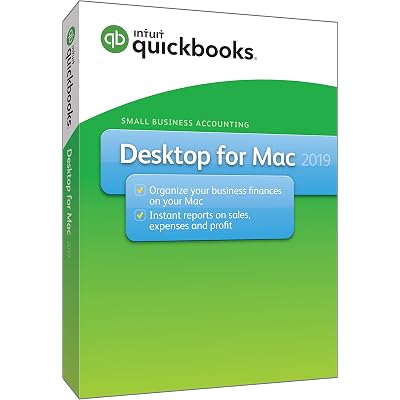
QuickBooks Desktop For Mac 2019
Ubuy s'engage à protéger votre sécurité et votre confidentialité. Notre système avancé de sécurité des paiements garantit la confidentialité en chiffrant vos informations lors de la transmission grâce aux protocoles AES (Advanced Encryption Standards) et SSL (Secure Socket Layer). Vos coordonnées de paiement sont 100 % sécurisées car nous ne partageons pas vos informations de paiement avec des vendeurs tiers.
A high-quality and stylish addition to any wardrobe.
Livraison
rapide
Retour
gratuit*
Emballage sécurisé
Produits 100 % originaux
Conformité PCI DSS
Certifié ISO 27001
Ce qui se démarque
Détails du produit
| Item Weight | 1 lbs (450 grams) |
À qui est-ce destiné ?
-
Small Business Owners
Ideal for small businesses needing streamlined accounting tools while tracking income, expenses, and payroll effortlessly on Mac.
-
Freelancers and Consultants
Perfect for freelancers who require simple invoicing and expense tracking functionalities to manage their finances effectively.
-
Mac Users
Specifically designed for Mac users seeking a native application for accounting without the need for a Windows environment.
-
Larger Corporations
Not suitable for large enterprises due to limited features compared to advanced accounting software tailored for high-scale needs.
-
Windows Users
Not recommended for Windows users as it lacks compatibility and functionalities available in the Windows version.
-
Non-Accountants
May not be ideal for users unfamiliar with accounting software as it has a learning curve for novices.
DESCRIPTION DU PRODUIT
QuickBooks Desktop For Mac 2019
Questions et réponses des clients
-
question:
What are the key features of QuickBooks Desktop For Mac 2019?
répondre: QuickBooks Desktop For Mac 2019 offers several essential features for managing finances such as invoicing, expense tracking, and generating financial reports. It simplifies accounting tasks with a user-friendly interface designed specifically for Mac users. With tools for tracking sales and customer information, business owners can gain valuable insights into their financial health. Use it to create detailed reports and analyze your business trends, which is essential for making strategic decisions. -
question:
Is QuickBooks Desktop For Mac 2019 compatible with all Mac versions?
répondre: QuickBooks Desktop For Mac 2019 is designed to be compatible with various Mac OS versions, specifically those released in the years prior to its launch. It's essential to check your Mac’s operating system version before purchasing to ensure compatibility. Using compatible software allows you to maximize functionality and efficiency in your accounting tasks, enabling seamless performance without technical issues. -
question:
Can I import data from QuickBooks Online to QuickBooks Desktop For Mac 2019?
répondre: Yes, you can import data from QuickBooks Online to QuickBooks Desktop For Mac 2019 with some limitations. The process involves exporting your data as a backup file from QuickBooks Online and then importing that file into your Desktop version. This feature is particularly useful for businesses transitioning to a desktop solution while retaining historical data and ensuring the continuity of financial records. Always check for updates or support guides for a smooth transition. -
question:
Does QuickBooks Desktop For Mac 2019 support multi-currency transactions?
répondre: QuickBooks Desktop For Mac 2019 does not support multi-currency transactions natively, which may be a limitation for businesses dealing with international clients. If your business operates across borders, consider using workarounds or additional software that can track exchange rates and foreign currencies. This will help ensure accurate accounting and financial reporting when dealing with international transactions. -
question:
How do I back up my data in QuickBooks Desktop For Mac 2019?
répondre: Backing up your data in QuickBooks Desktop For Mac 2019 is straightforward. Simply go to the 'File' menu and select 'Back Up Company.' Choose a location to save your backup file, ensuring your data is securely stored. Regularly backing up your data protects your financial information from loss due to hardware failure or accidental deletions. Establishing a routine for backups will provide peace of mind and security for your business operations. -
question:
What types of businesses benefit most from using QuickBooks Desktop For Mac 2019?
répondre: QuickBooks Desktop For Mac 2019 is ideal for small to medium-sized businesses that require robust accounting features without needing extensive customization. Service-based businesses, freelancers, and retail operations can particularly benefit from its invoicing and expense tracking capabilities. Using QuickBooks helps streamline financial management, ensuring that business owners can focus on growth and customer service while maintaining accurate accounting records. -
question:
What should I do if I encounter an error while using QuickBooks Desktop For Mac 2019?
répondre: If you encounter an error, the first step is to consult the Help menu within the software for troubleshooting tips. You can also visit the QuickBooks support website for further assistance and community forums where other users share solutions. Staying informed about common issues can enhance your user experience, allowing you to quickly resolve problems and minimize disruptions to your financial management. -
question:
Can multiple users access QuickBooks Desktop For Mac 2019?
répondre: QuickBooks Desktop For Mac 2019 supports multi-user access, but you must purchase a license for each additional user. This feature is beneficial for businesses with multiple employees handling accounting tasks simultaneously, as it enables collaboration and improves efficiency. Setting up multiple user accounts allows staff to work on different aspects of the company’s finances without interfering with each other’s work. -
question:
How can I integrate other applications with QuickBooks Desktop For Mac 2019?
répondre: You can integrate several third-party applications with QuickBooks Desktop For Mac 2019, which enhances its functionality. Popular tools for inventory management, payroll, and CRM can be connected through APIs. This integration helps streamline workflows and improves data accuracy across platforms, making it easier to manage comprehensive business operations. Always check for compatible applications to ensure a smooth integration process. -
question:
Where can I buy QuickBooks Desktop For Mac 2019 [Mac Disc] in Republic of the Congo?
répondre: You can buy QuickBooks Desktop For Mac 2019 [Mac Disc] on Ubuy. They offer a reliable platform for purchasing software with straightforward navigation and secure payment options. By choosing Ubuy in Republic of the Congo, you can seamlessly order QuickBooks and benefit from their customer support, ensuring you receive assistance for your purchase needs.
Révision éditoriale
Avis et évaluations clients
-
5 étoile
100%
-
4 étoile
0%
-
3 étoile
0%
-
2 étoile
0%
-
1 étoile
0%
Donnez votre avis sur ce produit
Partagez votre avis avec d'autres clients
Avantages
- User-friendly interface
- Great for small businesses
- Reliable performance
- Comprehensive reporting tools
- Excellent customer support
Les inconvénients
- Limited features compared to newer versions.
Historique des prix du produit
Informations importantes
- Limitations : Pour les produits expédiés à l'international, veuillez noter que toute garantie du fabricant peut ne pas être valide ; les options de service du fabricant peuvent ne pas être disponibles ; les manuels, instructions et avertissements de sécurité des produits peuvent ne pas être dans les langues du pays de destination ; les produits (et les matériaux qui les accompagnent) peuvent ne pas être conçus conformément aux normes, spécifications et exigences d'étiquetage du pays de destination ; et les produits peuvent ne pas être conformes à la tension et aux autres normes électriques du pays de destination (nécessitant l'utilisation d'un adaptateur ou d'un convertisseur le cas échéant). Il incombe au destinataire de s'assurer que le produit peut être importé légalement dans le pays de destination. En cas de commande auprès d'Ubuy ou de ses filiales, le destinataire est l'importateur officiel et doit se conformer à toutes les lois et réglementations du pays de destination.
- Tous les produits listés sur Ubuy ne sont pas à vendre, Ubuy étant un moteur de recherche mondial. Les produits sont soumis aux réglementations en matière d'exportation et de commerce.
Currently unavailable.
We don't know when or if this item will be back in stock.
This item is not restrict in my country.(Please click on above link if this item is not restrict in your country, So our team will review and allow.)
Ubuy s'engage à protéger votre sécurité et votre confidentialité. Notre système avancé de sécurité des paiements garantit la confidentialité en chiffrant vos informations lors de la transmission grâce aux protocoles AES (Advanced Encryption Standards) et SSL (Secure Socket Layer). Vos coordonnées de paiement sont 100 % sécurisées car nous ne partageons pas vos informations de paiement avec des vendeurs tiers.


